Recipe Book Addition
and Personal Manufacturing
The method of mixing items has been changed from the previous method of mixing by double-clicking on each
recipe item. Now, manufacturing is done in the item manufacturing window after registering the recipe in the
recipe book.
Recipe Book
If a player double-clicks (or right-clicks)
the recipe in the inventory, a confirmation
window asking whether to register that recipe
in the recipe book appears. If the recipe
is registered in the recipe book, the recipe
that was in inventory disappears and the
recipe registered in the recipe book is
added. A total of 50 recipes can be registered
in the recipe book, which is necessary for
mixing. However, recipes of a higher level
than one's own create item level cannot
be registered. If a player opens the recipe
book and double-clicks on the recipe that
he/she wishes to use, the item manufacturing
window appears.
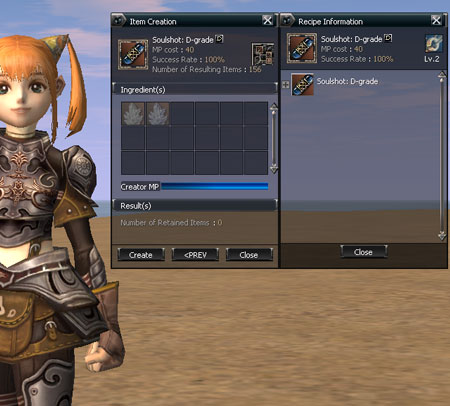
Item Manufacturing Window
If a player double-clicks on the recipe
that he/she wants in the recipe book, the
item manufacture window is activated. In
the manufacture window that is activated,
the information of the item to manufacture
(name, number/quantity, MP consumed, probability
of success) and information about the required
ingredients (primary ingredients, name,
number held/number required, MP of the manufacturer)
are shown. A gray indicator is shown on
the icon, just as in a personal purchase,
when the required number is not held. The
explanation of the items respective to each
icon are shown. If the information button
of the manufacture window is clicked, the
recipe tree window appears. If all conditions
for the mixing are satisfied, then the item
manufacture is possible by using the manufacture
button. If successful at item manufacturing,
the name and the resulting number of the
respective items are shown in the resulting
item information section.
Since it doesn't return to the recipe book status after manufacturing, if a player wants to do manufacturing
multiple times in that situation, it can be done by continuing to click the manufacture button.
Recipe Tree
The outer appearance of the tree structure shown in the recipe tree window is similar to the tree structure of a Windows
folder.
For ingredients that can be expanded,
the + symbol is shown and if looking at
the sub-section information after clicking
the + symbol, the - symbol is shown. Ingredients
that cannot be expanded do not have a symbol
shown.
Personal Manufacturing
The manufacturer opens the item manufacture window by using personal manufacture in the action section and puts the
recipe that he/she intends to manufacture into the manufacture list in the same way as when doing a personal sale. A
total of 10 recipes can be put up into the recipe list and when putting the recipe into the list, the fee for a single
manufacturing can be determined. If the start button is pressed, the player sits down the same way as with a personal
shop. If the requestor clicks a character that is doing personal manufacturing, he/she can view the list of recipes
that can be manufactured and in the recipe tool-tip, the name/grade/manufacturing fee/success probabilities are shown.
After selecting the desired recipe, the same item manufacturing window as when manufacturing is shown on the screen
of the requestor. The following manufacturing method is as above.
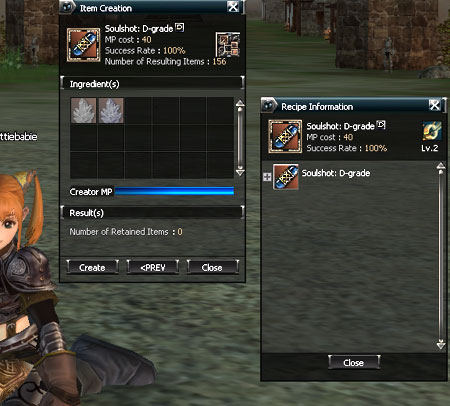
Success Probabilities
The success probabilities of recipes of B-grade or more that have been added until now have been changed to
100%.
|

